


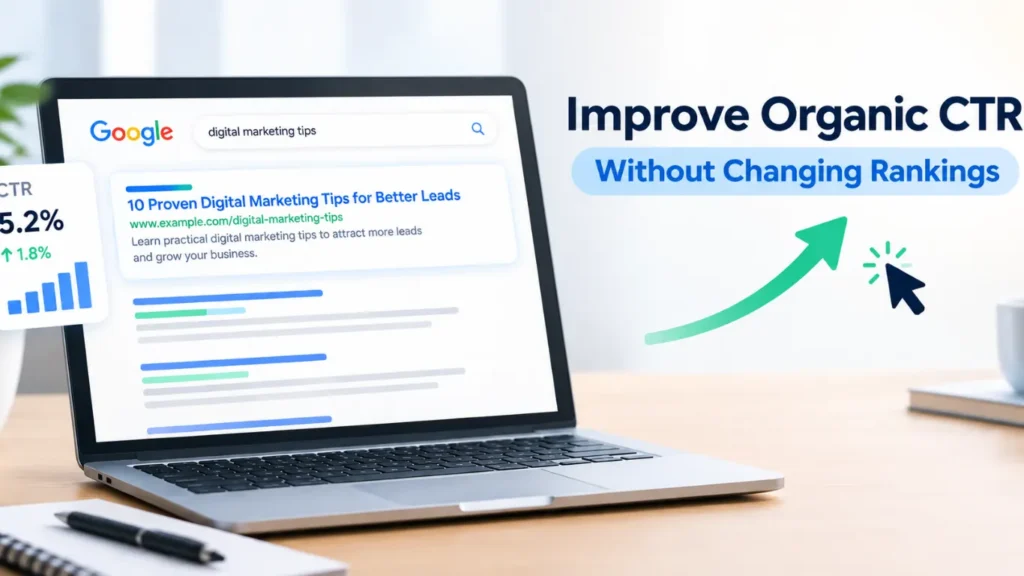
Getting your website to rank on the first page of Google is a major SEO achievement. However, high rankings do not always translate into more website traffic. Your page might appear near the top of search results but still receive fewer clicks than expected.
This is where organic click-through rate (CTR) becomes important. A page can attract more visitors from search without moving to a higher position if its search listing gives people a stronger reason to click.
Improving organic CTR is not about tricking users with exaggerated titles or adding keywords wherever possible. It involves understanding search intent, writing compelling title tags, creating useful meta descriptions, improving your brand’s credibility, and making your result stand out for the right reasons.
In this guide, we will explore practical ways to improve organic click-through rate without changing rankings, how to identify pages with the greatest potential, and how to measure whether your changes are working.
What Is Organic Click-Through Rate?
Organic click-through rate is the percentage of people who click on your website’s unpaid search result after seeing it in search results.
The formula is:
Organic CTR = (Organic Clicks ÷ Organic Impressions) × 100
For example, suppose a page receives 2,000 impressions and 80 clicks during a reporting period. Its organic CTR is 4%.
If the page continues to receive a similar number of impressions but earns 100 clicks after you improve its title and description, its CTR increases to 5%.
This example illustrates the basic idea: you can potentially attract more organic visitors without improving the page’s average ranking.
However, CTR varies considerably by query, position, search feature, device, brand recognition, and search intent. There is no single CTR percentage that every website should aim for.
Why Organic CTR Matters for SEO
Rankings show where a page appears in search results, while CTR helps you understand how often people choose it after seeing it.
A page with strong visibility but a weak click-through rate may have an opportunity to attract more visitors. For example, a title that is too vague, a description that does not explain the benefit, or a mismatch between the content and the search query may discourage users from clicking.
Improving CTR can help you make better use of the search visibility you already have. It can also reveal whether your search snippets communicate the page’s value clearly.
Keep one distinction in mind: a higher CTR does not automatically improve rankings. Google uses many signals to determine search results, and a change in CTR alone should not be treated as a guaranteed ranking factor.
The practical goal is to earn more relevant clicks while ensuring that visitors find what your search listing promises.
1. Find Pages With High Impressions but Low CTR
Before changing title tags or meta descriptions, identify which pages have the greatest potential for improvement.
Google Search Console is a useful starting point because it reports organic clicks, impressions, CTR, and average position for your website’s search performance.
How to find these pages
- Open Google Search Console and select your website property.
- Go to the Performance report and open Search results.
- Select a suitable date range, such as the previous three months.
- Review the Pages tab.
- Compare impressions, clicks, CTR, and average position.
- Look for pages with meaningful impressions but a lower-than-expected CTR.
Do not assume that every page with a low CTR needs a new title. A page ranking in position nine will usually behave differently from one ranking in position two.
Compare pages with similar rankings, query types, and search intent before deciding which results are under performing.
Prioritize pages with realistic opportunities
Start with pages that:
- Receive consistent impressions.
- Have a stable average position.
- Target commercially or informationally valuable queries.
- Have titles or descriptions that could be clearer.
- Already provide useful, relevant content.
A page with strong impressions and an unclear title may offer a better opportunity than a page that barely appears in search results.
2. Write More Compelling SEO Title Tags
Your title tag is one of the most visible elements of an organic search listing. It helps users understand what a page covers and decide whether it matches their needs.
A title can be technically optimized for keywords but still fail to attract clicks if it sounds generic.
For example:
Generic title: Digital Marketing Tips
More specific title: 10 Digital Marketing Tips to Generate Better Leads
The second title communicates a clearer benefit and gives users a better idea of what they will find.
Match the title to the search intent
Think about what someone wants when they enter a particular query.
| Search intent | Weak title | More compelling title |
|---|---|---|
| Informational | SEO Guide | SEO Basics: A Practical Guide for Beginners |
| Comparison | Email Marketing Tools | Email Marketing Tools: Features, Uses and Differences |
| Problem-solving | Website Speed | How to Improve Website Speed and User Experience |
| Commercial | CRM Software | CRM Software for Small Businesses: Features to Compare |
These examples are starting points, not guaranteed CTR improvements. The best title depends on the actual content and the wording people use in search.
Use specific benefits instead of vague promises
A strong title helps readers understand the value of clicking. Depending on the content, it might promise a step-by-step process, a comparison, a checklist, or practical solutions to a problem.
Use words such as “guide,” “examples,” “checklist,” or “steps” only when the page genuinely delivers that format.
Avoid exaggerated claims, unnecessary urgency, and promises the article cannot fulfil. Misleading titles may attract an initial click but can leave visitors disappointed.
Keep titles clear and concise
There is no fixed character limit that guarantees a title will display fully in Google. Search titles can be shortened or rewritten depending on the query, device, and other factors.
Put the main topic near the beginning when it reads naturally. Remove unnecessary wording, repeated phrases, and branding that does not add value.
Google may generate title links using the title element, prominent headings, and other page information. Writing a useful title tag is important, but it does not guarantee that Google will display it exactly as written.
3. Improve Meta Descriptions to Encourage Clicks
A meta description is a short summary of a page that may appear beneath its title in search results. Google can use the provided description or generate a different snippet from the page’s content.
Although meta descriptions are not a direct ranking factor, a useful description can help users understand why a result is relevant.
Compare these examples:
Generic description: Learn about SEO and discover useful tips for your website.
More useful description: Learn how to improve website SEO with practical advice on title tags, internal links, technical issues, and content optimization.
The second version gives users a clearer picture of the information available on the page.
What makes a good meta description?
A useful meta description should:
- Summarize the page accurately.
- Reflect the likely search intent.
- Highlight a relevant benefit or answer.
- Include the main topic naturally.
- Use readable, specific language.
- Avoid repetitive keywords and exaggerated claims.
For a service page, explain the service and the problem it helps solve. For an educational article, highlight the questions answered or the practical steps covered.
You do not need to force a call to action into every description. Sometimes a clear explanation is more persuasive than promotional language.
4. Align Your Search Snippet With Search Intent
A title can sound attractive but still receive few clicks if it does not match what users are looking for.
Imagine someone searches for “how to improve website conversion rates.” If your title focuses on digital marketing trends, the page may not appear relevant—even if the article briefly discusses conversions.
The solution is to align the title, description, and visible content with the main purpose behind the query.
Review the queries that generate impressions
In Google Search Console, open the Queries tab and inspect the search terms associated with your target page.
Ask yourself:
- Are people looking for instructions, comparisons, examples, or a service?
- Does the current title communicate the answer they expect?
- Does the description highlight the most relevant benefit?
- Does the page actually satisfy that expectation?
A single page can appear for several related queries. You may not be able to address every query in one title, so prioritize the dominant intent and the terms most valuable to your business.
If the queries reveal that the page targets the wrong topic entirely, rewriting the title alone may not be enough. The content itself may need improvement.
5. Use Numbers and Specific Details When They Help
Specific titles can communicate what readers should expect. Numbers are useful when a page contains a genuine list, a defined process, or a particular set of recommendations.
For example:
- “Ways to Improve SEO” is broad.
- “7 Practical Ways to Improve On-Page SEO” sets a clearer expectation.
But numbers are not automatically better. If an article has four main recommendations, calling it a guide to 25 strategies would create a misleading promise.
Specificity can also come from naming the audience, format, or problem:
- SEO Tips for Local Businesses
- A Beginner’s Guide to Technical SEO
- How to Fix Common Indexing Problems
- Website Redesign Checklist for Business Owners
Choose the format that reflects the actual content. The aim is clarity, not a formula that makes every title look identical.
6. Improve Brand Recognition and Trust
People often choose familiar brands because they recognize the name or have encountered useful content from that business before.
A recognizable brand can make a search result feel more credible, particularly for competitive queries where several pages offer similar information.
You can strengthen brand recognition by maintaining consistent branding, publishing helpful content, clearly identifying your business, and delivering a reliable website experience.
Make your result feel credible
Depending on the page, consider whether it clearly communicates:
- Who publishes the content.
- What the business does.
- Whether the information is current when freshness matters.
- What experience or expertise supports the advice.
- Where users can find relevant contact or company information.
Do not add claims about expertise, awards, customer numbers, or results unless they are accurate and supportable.
Branding also needs restraint in title tags. Adding your company name may help users recognize the business, but a long brand suffix can push the important topic out of view. Test whether the brand adds value for the particular page.
7. Use Structured Data Where It Is Relevant
Structured data is code that helps search engines understand specific information on a page. Depending on the content and Google’s eligibility requirements, it can make a page eligible for certain enhanced search appearances.
Examples include relevant product information, organization details, breadcrumbs, and supported structured data types for specific content.
A richer search appearance can sometimes help a result communicate more information, but structured data does not guarantee a rich result or a higher CTR.
How to approach structured data
- Identify the structured data type that genuinely matches the page.
- Follow Google’s current documentation for the required properties.
- Ensure the markup reflects visible, accurate page content.
- Validate it with Google’s Rich Results Test when applicable.
- Monitor search appearance and performance in Search Console.
Do not add irrelevant markup simply to make a listing look different. For example, marking up content as a product when it is not a product can create accuracy and eligibility problems.
Structured data should support an accurate representation of the page, not manufacture information that is not present.
8. Improve Content Freshness When It Matters
Some searches have a strong need for current information. Users looking for current software features, recent regulations, changing prices, or updated platform guidance may prefer a result that clearly reflects the latest available information.
For these pages, an outdated title or description can reduce confidence.
Review time-sensitive content and update it when the underlying information has genuinely changed. Then ensure the title, description, headings, and article all reflect the updated material.
Do not change a publication date merely to make an old article look new. Nor should you add a year to every title if the topic does not require annual updates.
Freshness is useful when it improves accuracy or relevance. It is not a shortcut for increasing clicks on content that has not meaningfully changed.
9. Make Your Search Listing Stand Out Without Clickbait
Search results compete for attention. A title that clearly identifies a specific problem or outcome can be more useful than a broad phrase that resembles every other result.
Review the search results for your important queries and look for ways to communicate your page’s real value.
For example, if competing results use broad titles such as “SEO Guide,” and your article genuinely provides a practical troubleshooting process, a title like “Technical SEO Troubleshooting: A Step-by-Step Guide” may communicate a clearer purpose.
Look for opportunities to make the result more distinctive through:
- A clearly defined audience.
- A specific problem being solved.
- A useful format, such as a checklist or comparison.
- A relevant outcome.
- A clear explanation of what the page covers.
Avoid clickbait, excessive capitalization, misleading urgency, or unsupported promises. A click is only valuable when the visitor finds the content useful.
10. Optimize for Mobile Search Results
A large share of search activity happens on mobile devices, where titles and descriptions may appear differently from desktop results.
Long, unclear wording can make it harder for users to understand a listing quickly. This makes concise writing particularly valuable.
Review important pages on both desktop and mobile search results when possible. Check whether the main topic appears early, whether the title is easy to understand at a glance, and whether the description communicates the page’s value.
Also ensure that your website works well after the click. A mobile-friendly page should load reliably, use readable text, have accessible navigation, and make its primary information easy to find.
A compelling snippet may attract a visitor, but a poor mobile experience can undermine the value of that click. Businesses working on broader site usability can consider relevant website designing and web development improvements alongside their SEO work.
11. Use Internal Links to Support Relevant Pages
Internal linking primarily helps users and search engines navigate your website. It is not a direct way to improve the CTR of an existing search listing, but it can support a broader SEO strategy by helping important pages become easier to discover and understand.
For example, an article about technical SEO could link naturally to a related guide on indexing issues or a relevant SEO service page.
Use descriptive anchor text that explains what a reader will find. Avoid adding links that do not help the user or placing the same keyword-rich anchor repeatedly throughout the site.
If a page receives impressions for a useful topic but offers little depth, improving the article and connecting it to related resources may make the page more valuable. Any resulting CTR change should still be measured separately from changes in rankings, impressions, or query mix.
12. Test Changes and Measure Results Carefully
Changing several elements on a page at once makes it difficult to understand which change influenced performance.
A more disciplined process helps you learn what works for your audience.
A practical testing process
Step 1: Record a baseline. Export or record clicks, impressions, CTR, and average position for the target page and its important queries.
Step 2: Choose one meaningful change. For example, improve the title to make its intent clearer while leaving the meta description unchanged.
Step 3: Allow enough time for data to accumulate. Search performance can fluctuate daily. Avoid drawing conclusions from a very small number of impressions.
Step 4: Compare equivalent periods. Consider seasonality, weekdays, changes in demand, and shifts in query mix. Compare a suitable period before and after the change.
Step 5: Review the full picture. Check CTR alongside impressions, clicks, average position, and the queries generating traffic.
Step 6: Keep or revise the change. If the evidence is weak or performance deteriorates, reconsider the wording rather than repeatedly making random edits.
Google Search Console data is aggregated, and average position can hide changes across individual queries. Therefore, a page’s overall CTR may rise or fall even when its title has not changed.
How to interpret your results
| What you observe | Possible explanation | What to check |
|---|---|---|
| CTR rises, position stays similar | The listing may be more appealing or query mix changed | Query-level CTR and clicks |
| CTR rises, but impressions fall | Fewer searches or a different query mix | Impressions and query trends |
| CTR falls, position stays similar | The result may be less relevant to current searches | Queries, title display, competitors |
| CTR and position both rise | Several factors may be contributing | Page-level and query-level history |
| No clear change | The test may be inconclusive or the change may not help | Sample size, intent, and snippet quality |
Do not attribute every improvement to a title rewrite. Search demand, competing results, SERP features, and changes in the queries triggering impressions can all influence the numbers.
Common Mistakes to Avoid When Improving Organic CTR
A few common approaches can waste time or damage user trust.
Changing titles too frequently
Repeated edits without enough data make it difficult to understand what works. Give meaningful changes time to be reflected and evaluated.
Using misleading descriptions
A description that promises information the page does not provide may earn an initial click but disappoint the visitor. Keep the snippet aligned with the actual content.
Comparing unrelated pages
CTR varies by position, search intent, brand familiarity, device, and query type. Compare similar pages or the same page over comparable periods rather than treating one universal benchmark as the target.
Ignoring the content itself
A better title cannot compensate for a page that does not answer the searcher’s question. Improve the content when it is thin, outdated, confusing, or misaligned with intent.
Treating CTR as a guaranteed ranking signal
A higher CTR can be a positive performance outcome, but it does not prove that rankings will improve. Measure organic traffic and business outcomes instead of assuming a direct ranking benefit.
A Simple 30-Day Plan to Improve Organic CTR
You do not need to rewrite every page on your website. Start with a small group of high-opportunity URLs and follow a consistent process.
| Time period | Action | Main objective |
|---|---|---|
| Week 1 | Review Search Console and identify pages with high impressions and weak CTR | Find opportunities |
| Week 2 | Rewrite titles for a small, prioritized group of pages | Improve relevance and clarity |
| Week 3 | Review descriptions, content accuracy, and search intent | Strengthen the value proposition |
| Week 4 | Compare performance and document results | Learn what to improve next |
Keep a record of the original title, revised title, change date, average position, impressions, clicks, and CTR. This creates a useful history for future decisions and reduces the temptation to make changes based on short-term fluctuations.
For websites with many pages, prioritize by business value as well as traffic potential. A service page that attracts qualified leads may deserve attention before a blog post with more impressions but little relevance to your business goals.
Frequently Asked Questions
1. Can I improve organic CTR without improving rankings?
Yes. You may attract more clicks at a similar average position by making your title and search snippet more relevant, specific, and compelling. Results are not guaranteed, and changes in query mix or search demand can also affect CTR.
2. Does organic CTR affect Google rankings?
Google uses many signals to rank pages, and CTR from Search Console should not be treated as a direct ranking lever. Improving CTR is valuable because it can help you attract more relevant visitors from existing visibility, not because it guarantees a ranking increase.
3. How do I check organic CTR?
Use Google Search Console. Open the Performance report, select Search results, and review clicks, impressions, CTR, and average position. You can examine the data by query, page, country, device, and search appearance where available.
4. Should I change my title tag or meta description first?
Start with the element that appears to be the clearest weakness. If the title is vague or does not match the query, improve it first. If the title communicates the topic well but the summary is unclear, review the meta description. Test changes methodically where possible.
5. What is a good organic CTR?
There is no universal benchmark. CTR depends on search position, query intent, device, brand recognition, competition, and the features displayed on the results page. Compare similar queries and track changes over time rather than relying on a single target percentage.
6. How long does it take to see CTR improvements?
There is no fixed timeframe. Search engines need to recrawl and process page changes, and enough impressions must accumulate to make comparisons useful. Monitor the page over an appropriate period and account for seasonal or query-related changes before deciding whether a revision worked.
Conclusion
Improving organic click-through rate without changing rankings starts with making your existing search visibility more useful to potential visitors. Focus on pages that receive meaningful impressions, understand the queries behind those impressions, and write title tags and meta descriptions that clearly communicate what each page offers.
Small improvements in relevance, specificity, trust, and readability can help users choose your result over competing listings. At the same time, avoid clickbait, unsupported promises, and frequent changes that make performance difficult to evaluate. Your snippet should set an accurate expectation, and the page itself should deliver on it.
Use Google Search Console to establish a baseline, test changes carefully, and evaluate clicks alongside impressions, CTR, and average position. Remember that a CTR increase does not automatically produce better rankings, so measure the outcomes that matter to your website and business.
A consistent SEO strategy combines useful content, technical website quality, clear messaging, and ongoing measurement. ASINFOVISION, a digital marketing company, helps businesses plan and execute integrated digital strategies that support visibility, trust, and qualified leads. The most sustainable approach is to make every search listing a clearer and more honest reason for the right person to visit your website.